About the project:
FlowFix is a system for managing the money of a construction project. Built entirely by our team.
The product is built for a property developer who builds on project financing: the bank opens a credit line for a specific building, buyers’ money sits in escrow and is out of the developer’s reach until the building is handed over, and every rouble of expense has to fall under a cost item agreed with the bank.
Normally this lives in three places at once: the budget — in Excel, the loan and its limits — with the bank, the contracts and completion certificates — with the contractors. As long as they are reconciled by hand, no one can quickly answer the main question: are we staying within the limit on a given cost item and how much has already been contracted above plan. FlowFix answers it from a single screen.
The product’s users are the finance director, the project manager and the owner. This is neither accounting nor a task tracker: no one calculates taxes or sets tasks here — here they keep the construction money under control.
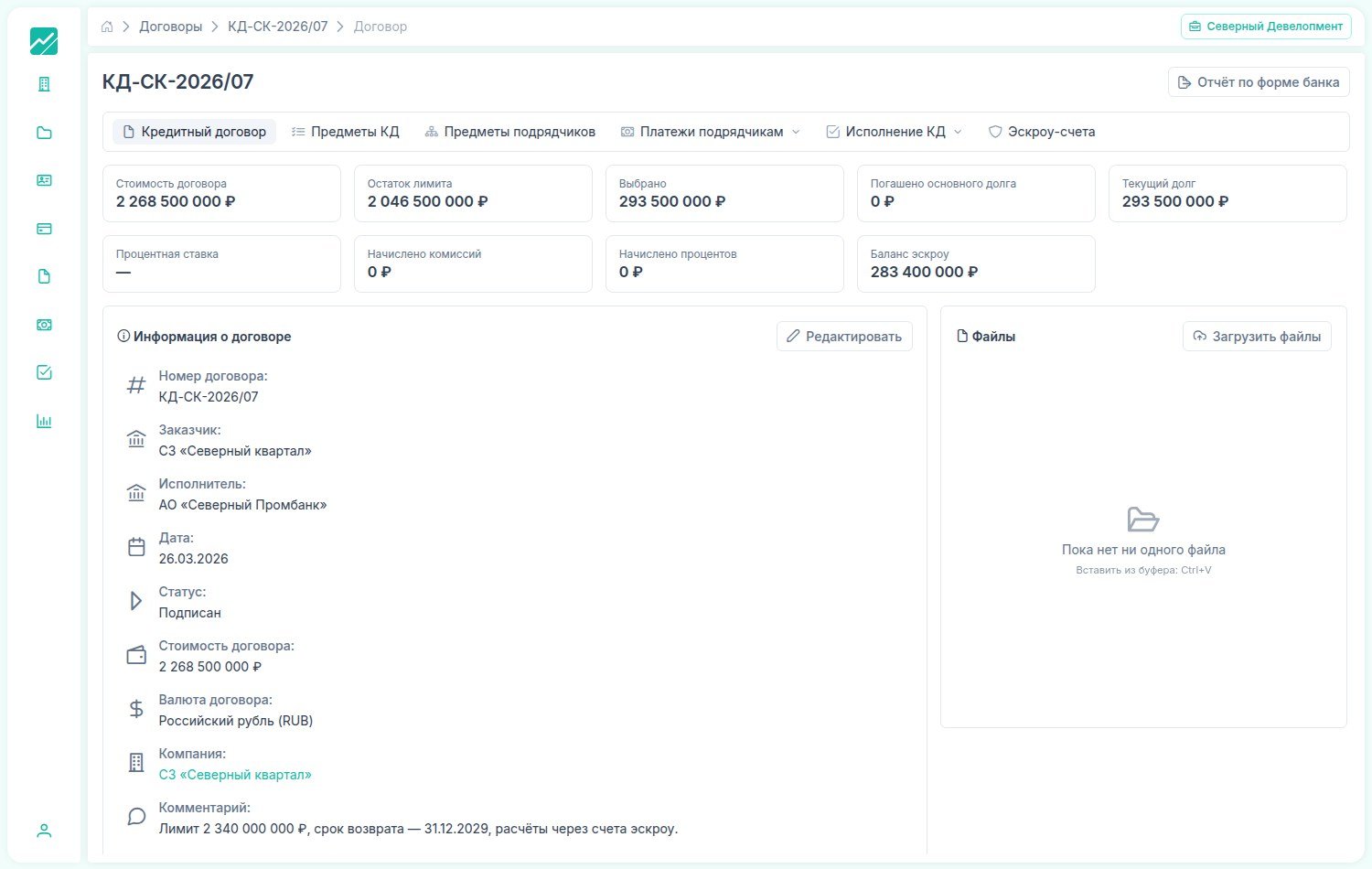
The unit of accounting is the construction project, not the legal entity:
Everything in the system revolves around the project. A project is a specific residential development with its timelines, planned cost, its own budget and its own credit agreement.
Inside, the project is broken down into objects: block 1, block 2, the underground car park, the intra-block utilities and the landscaping. This breakdown by object is not decorative — the bank’s limits, the contractors’ contracts and the payments all sit on top of it. So the question “how much has already been spent on block 2” stops being a separate investigation.
The project card gathers everything else around it: the cash-flow budget, the income-and-expense budget, the objects and the construction schedule.
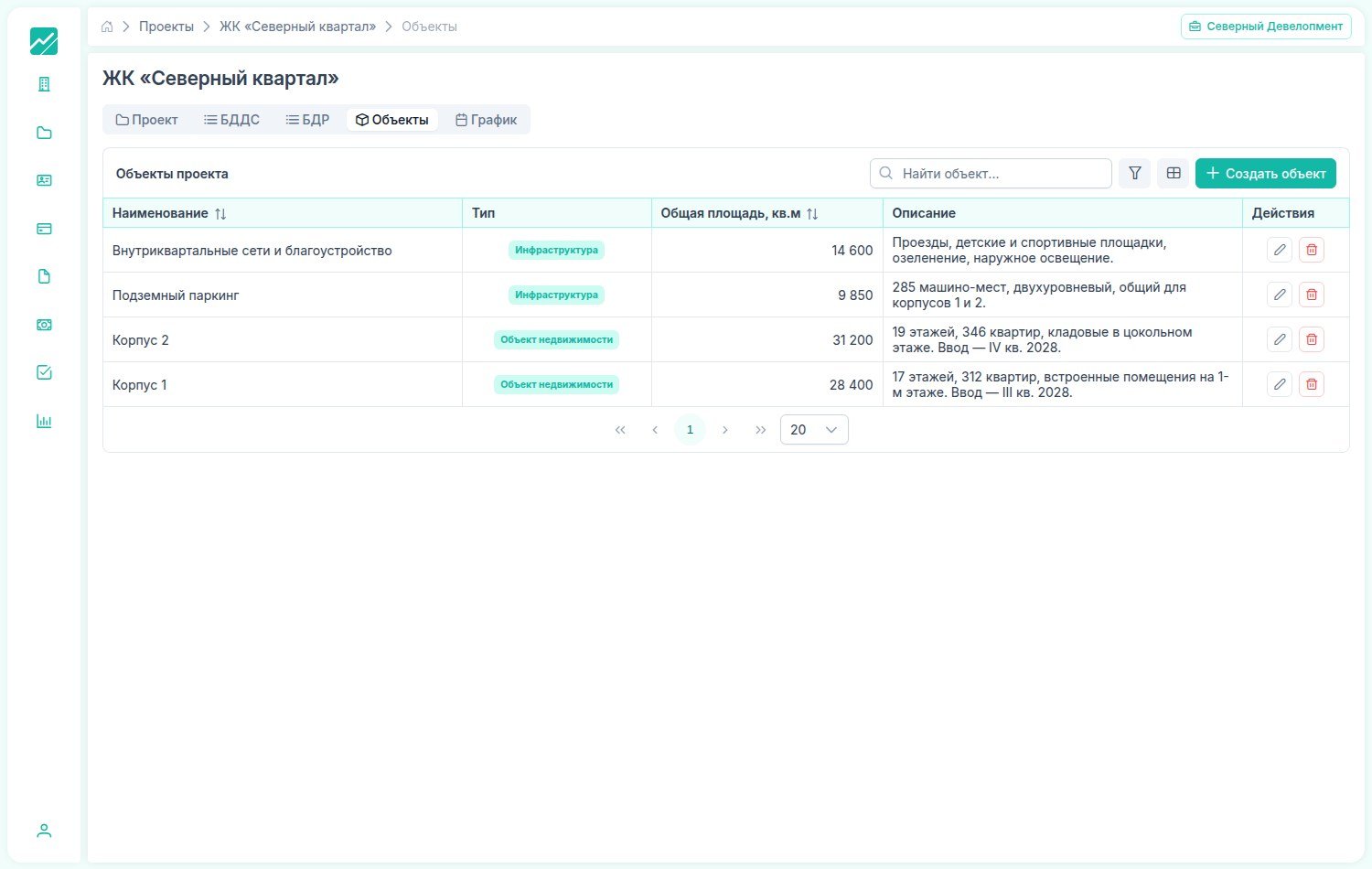
Budget: plan, commitment, actual:
The project budget is broken down by cost item and shown across three horizons at once: for the whole construction period, for the current year and for the month. For each item there are four figures: plan, commitment, actual and the percentage of completion against each of them.
The difference between “commitment” and “actual” is exactly the one usually lost in a spreadsheet. Commitment is what has already been contracted and signed but not yet paid. Actual is what has really left the account. The cash gap lives between the two.
Figures are edited right in the cell, without a separate editing form, and the section totals recompute themselves. Next to the cash-flow budget is the income-and-expense budget, built the same way.
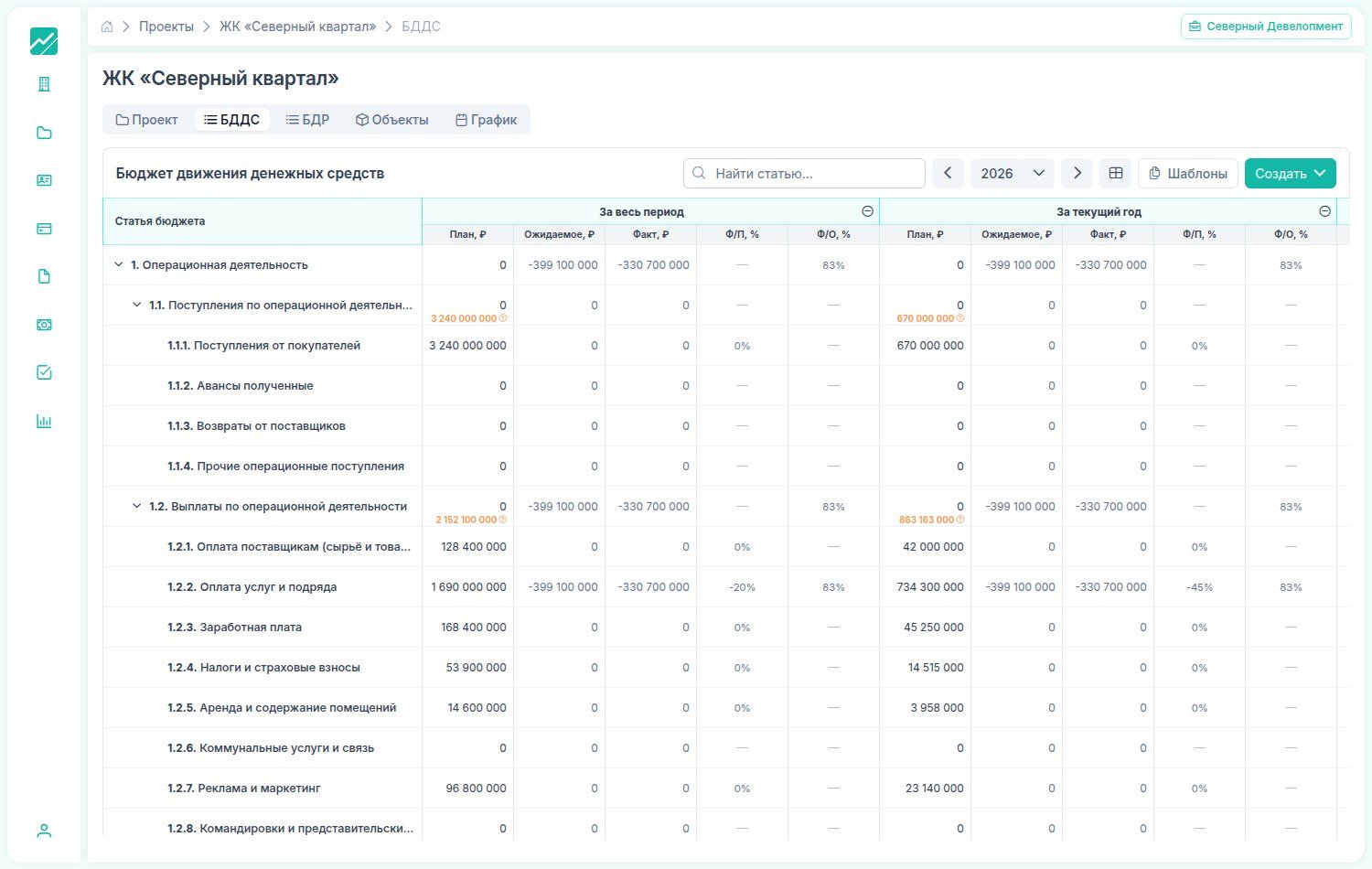
There is no need to lay out the budget from scratch on every project. The system ships with ready templates, a company creates its own — and any already assembled budget can be saved as a template and reused on the next building.
The bank form is built into the product, not attached to it:
This is the main thing the product was made for.
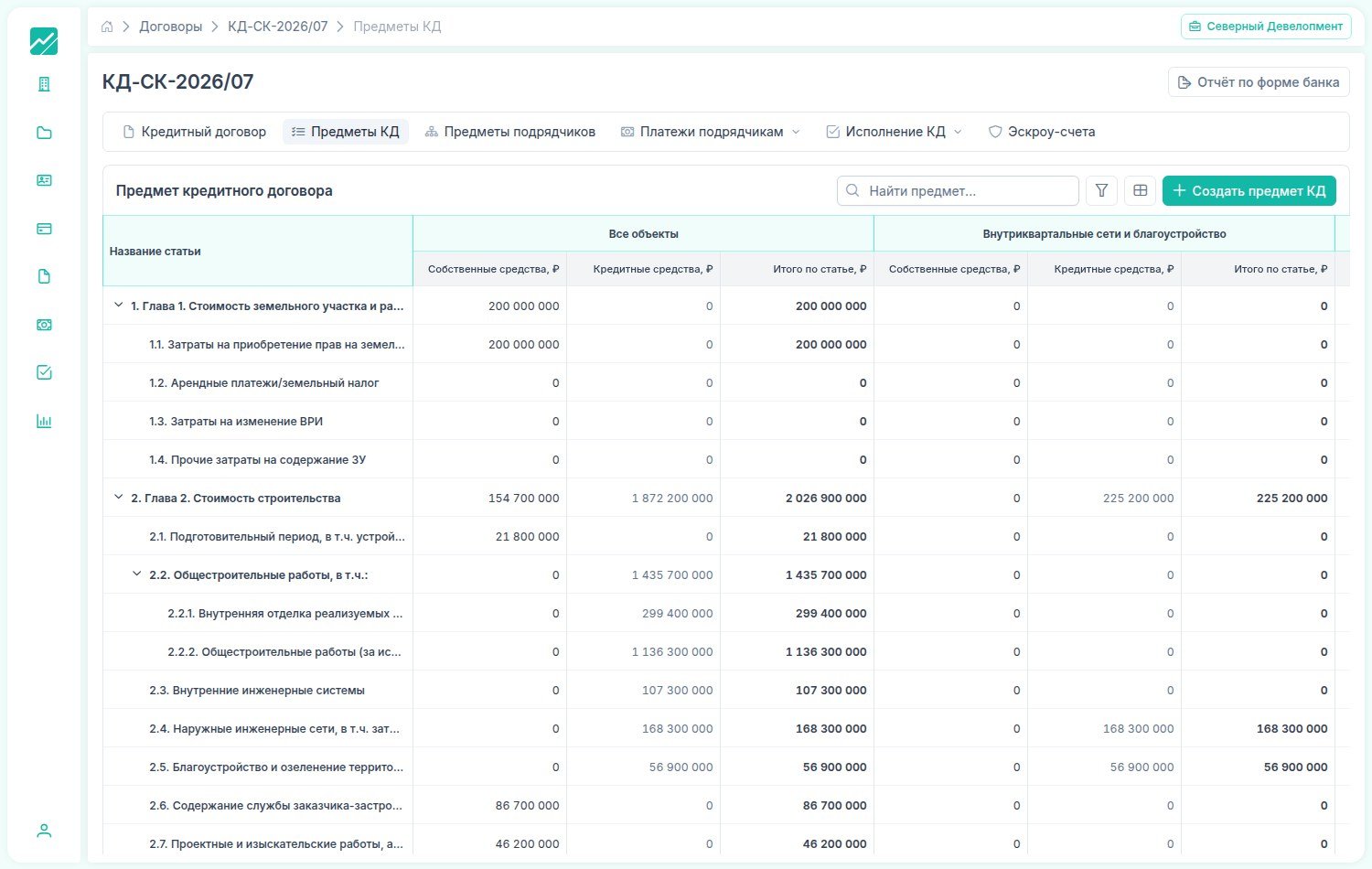
When it opens a credit line, the bank requires the construction cost to be broken down by its own form: chapter 1 — land, chapter 2 — the cost of construction with a dozen sub-items, general construction works separately, utilities separately, landscaping separately, design separately. At a property developer this form usually lives as a separate spreadsheet, filled in once a month specially for the bank — and it almost always diverges from what is actually happening on site.
Here it lives inside the system. The bank-form cost items are a reference book around which everything else is gathered. For each item you can see how much money is allocated and — more importantly — how much of it is own funds and how much is borrowed.
The same breakdown unfolds by object: to the right of the total column run the columns for the blocks and the infrastructure. That is, the limit is visible not only “for the construction as a whole” but also “for this item on this block”.
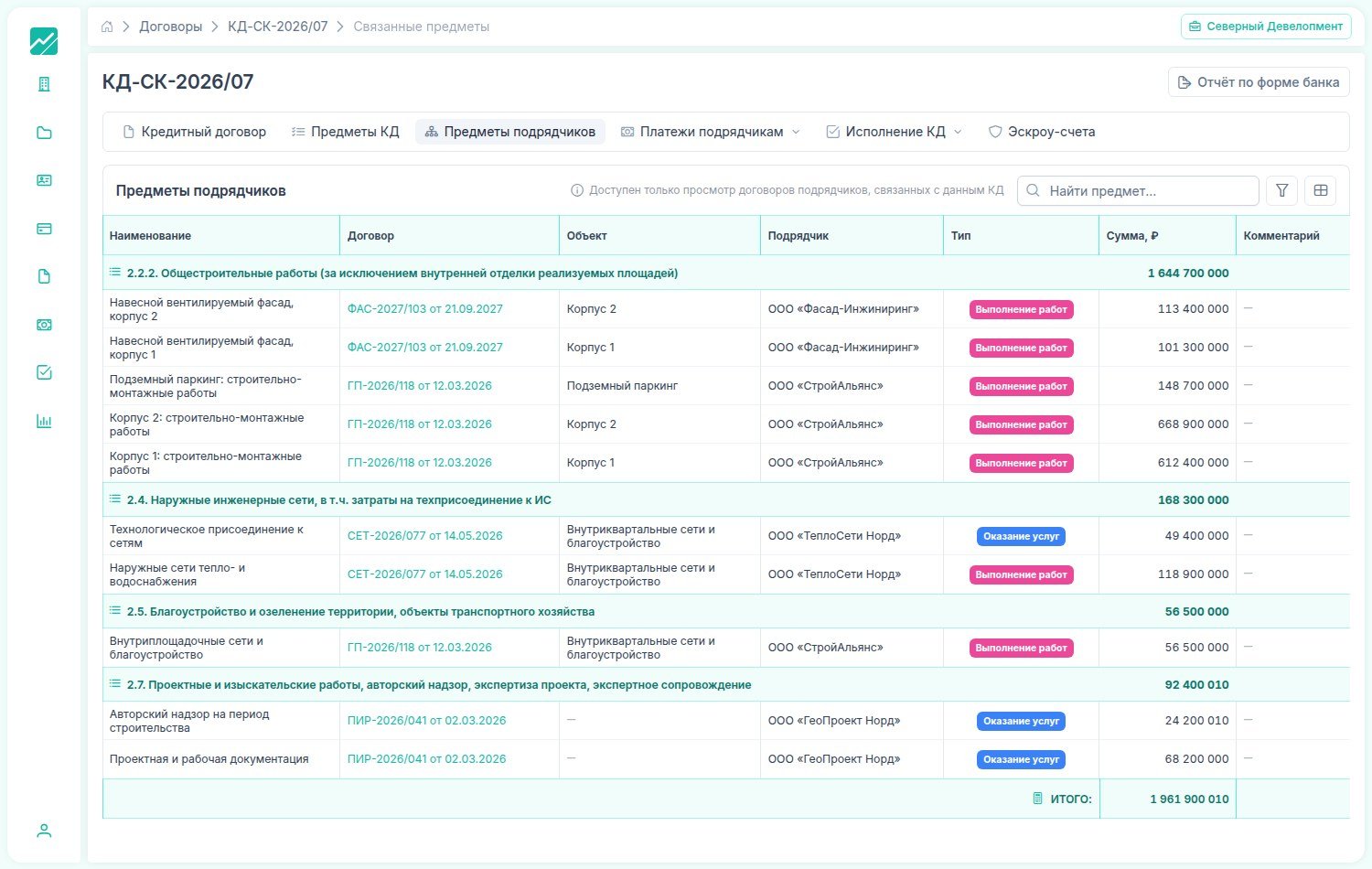
Contractor contracts map onto the bank’s cost items:
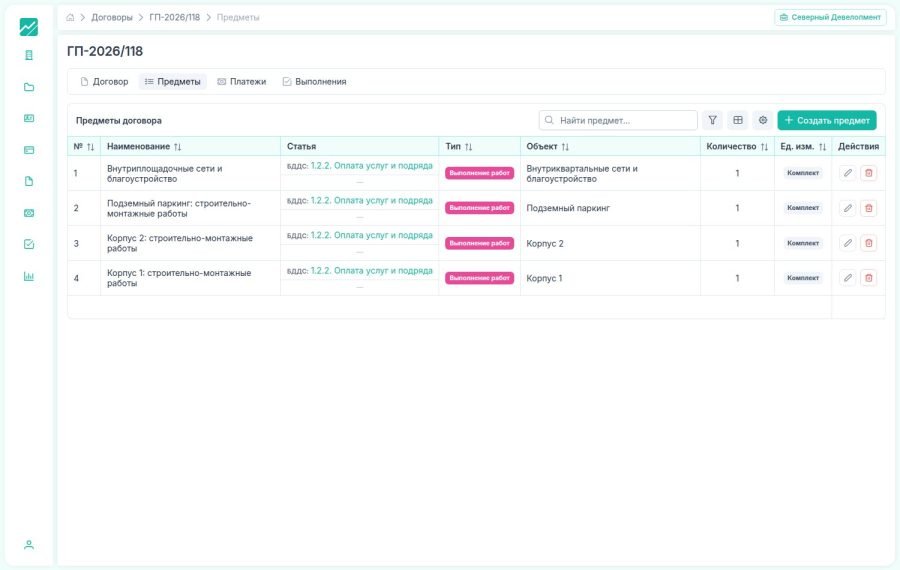
A contractor’s contract is split into subjects: “block 1: construction and assembly works”, “ventilated curtain wall, block 2”, “external heat- and water-supply networks”. Each subject has an amount, an object and a budget cost item.
And each subject is tied to a bank-form cost item. From there the system builds the reverse breakdown: it takes a cost item — and shows under it every subject of every contractor that maps onto it, with the contract, object, assignee and amount. At the bottom — the totals row for the item.
It is this screen that answers the question a separate spreadsheet for the bank is usually assembled for: how much we have already contracted against the item and how much of the limit under it is left. Not at the end of the month, but at the moment the contract is signed.
From the contract’s side it looks just as simple: a list of subjects, each with its object and budget cost item. One and the same markup serves both views — the contractor’s and the bank’s.
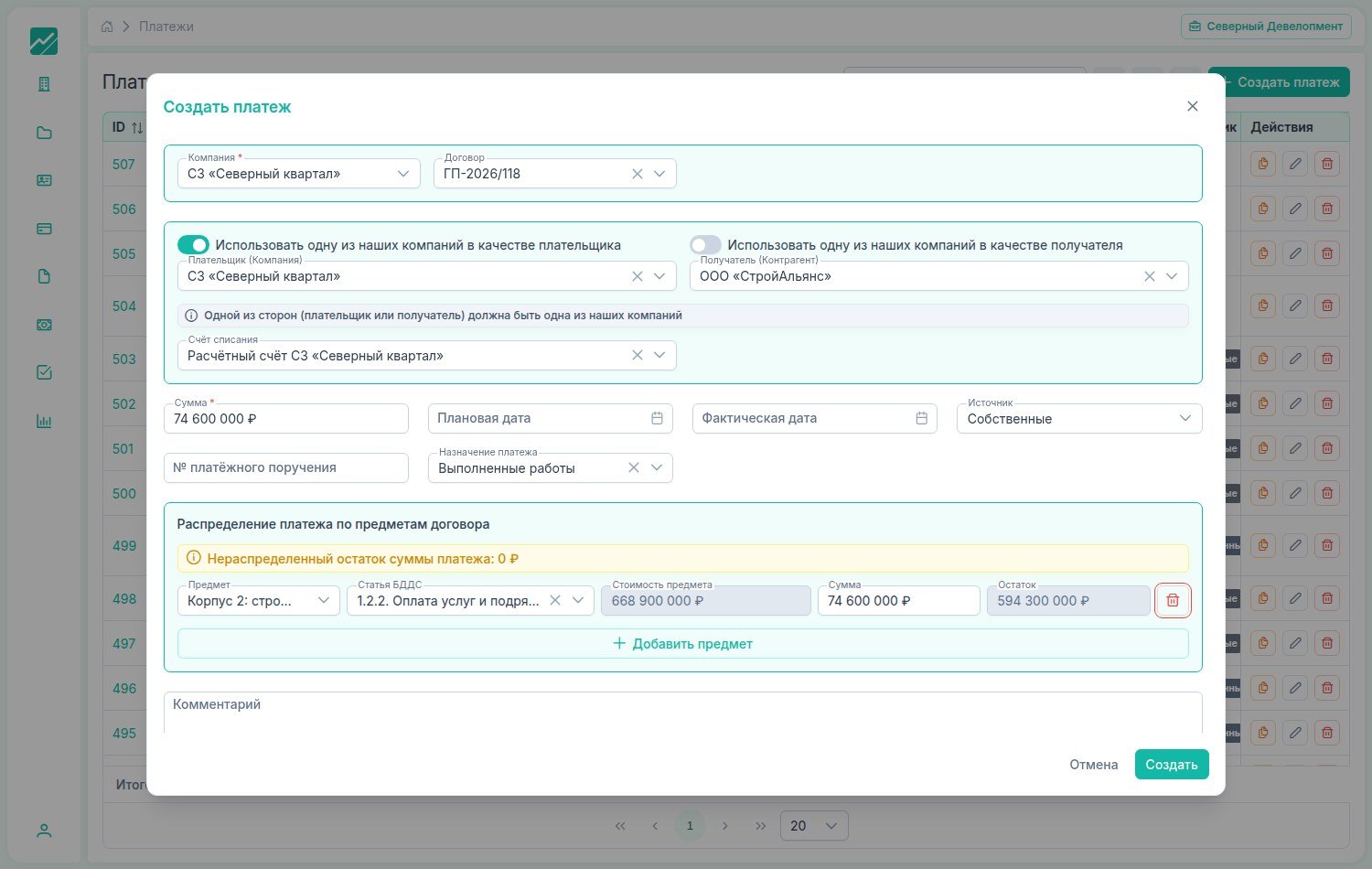
Completion certificate, payment, cost item — one chain:
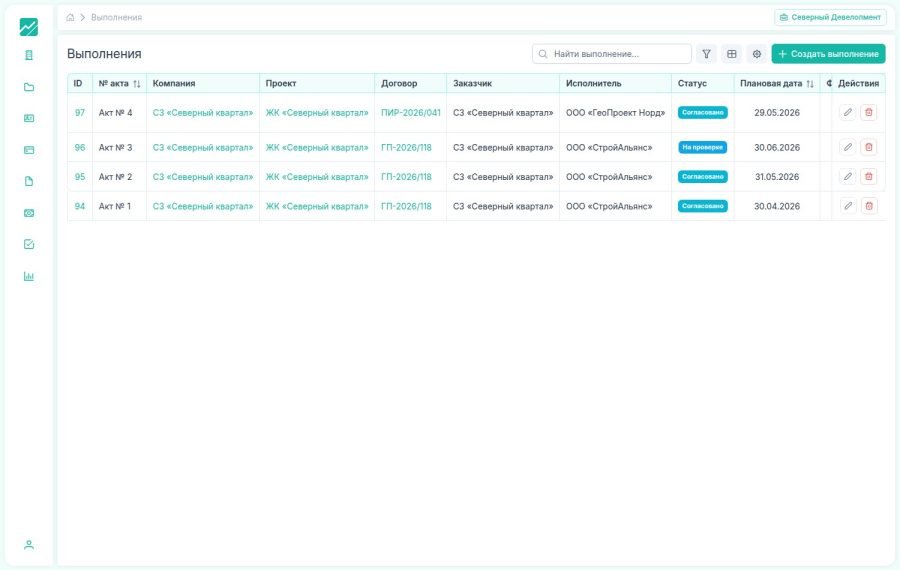
A contractor hands over the work with a completion certificate. The certificate goes through approval, lands in the project and becomes the grounds for payment. Then a payment is created.
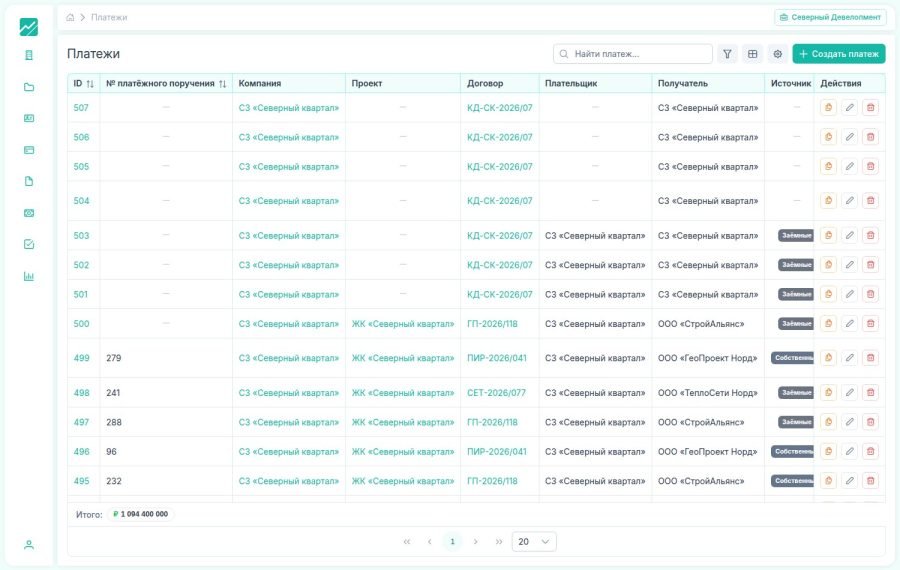
A payment is not tied to the contract as a whole — it is spread across the subjects. Once you state that $74.6m of this payment order goes to “block 2: construction and assembly works”, the system substitutes the budget cost item itself, shows the subject’s cost, works out the balance on it and displays the unallocated remainder of the payment itself. Until it is zero, the payment does not add up, and this is visible at once, not at reconciliation time.
And the source of the money is stated right there: own or borrowed. This split runs through the whole product — from the budget to the register of payments and invoices — and it is exactly what makes it possible to compute the credit drawdown without picking apart each payment order by hand afterwards.
The small things that only show up in day-to-day work: a payment is copied with a button (when one contractor is paid every month, this saves more time than it seems), files are pasted into a card straight from the clipboard, and the set of columns in any table is configured to suit you.
Loan and escrow — a closed loop:
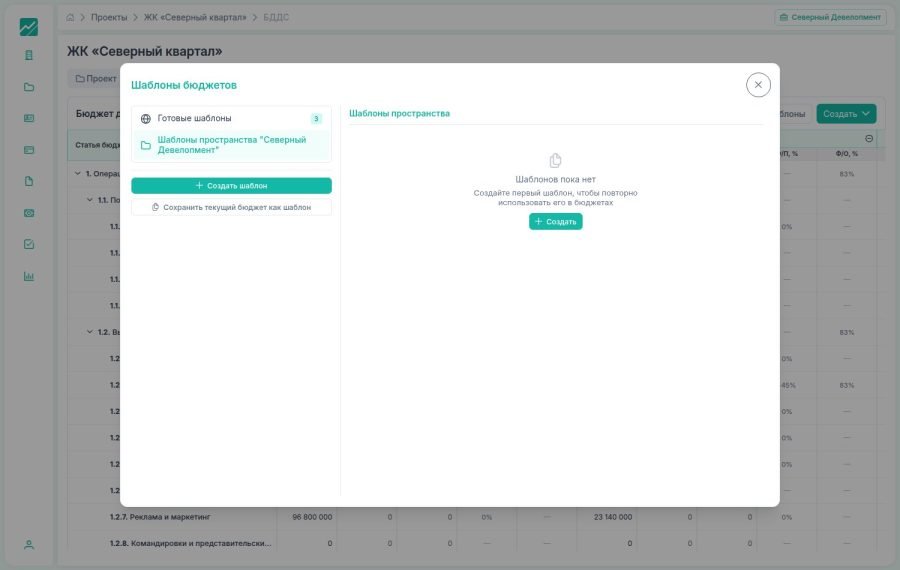
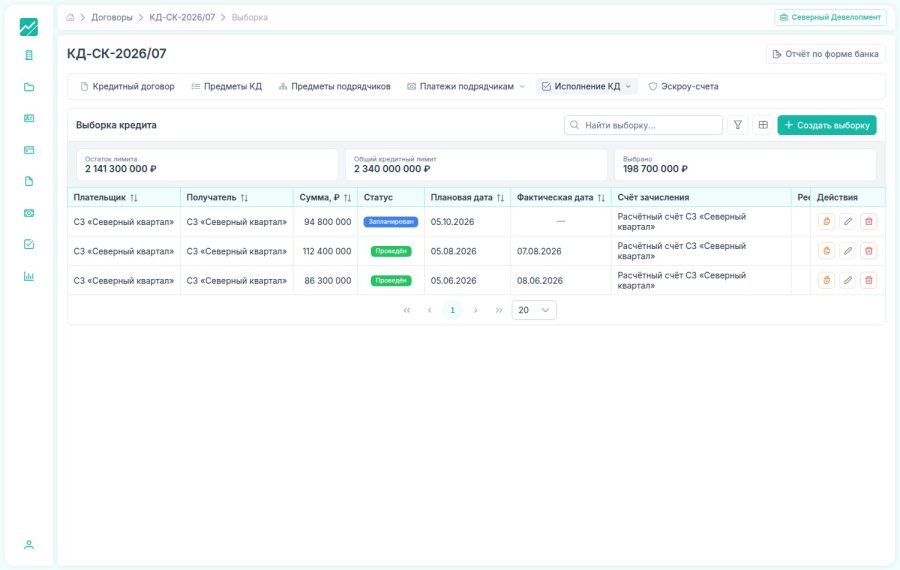
The credit agreement in the system is a small product of its own inside the big one. Its card opens with a set of figures: the agreement’s value, the remaining limit, how much has been drawn down, how much repaid, the current debt, the rate, the accrued interest and fees, and the escrow balance.
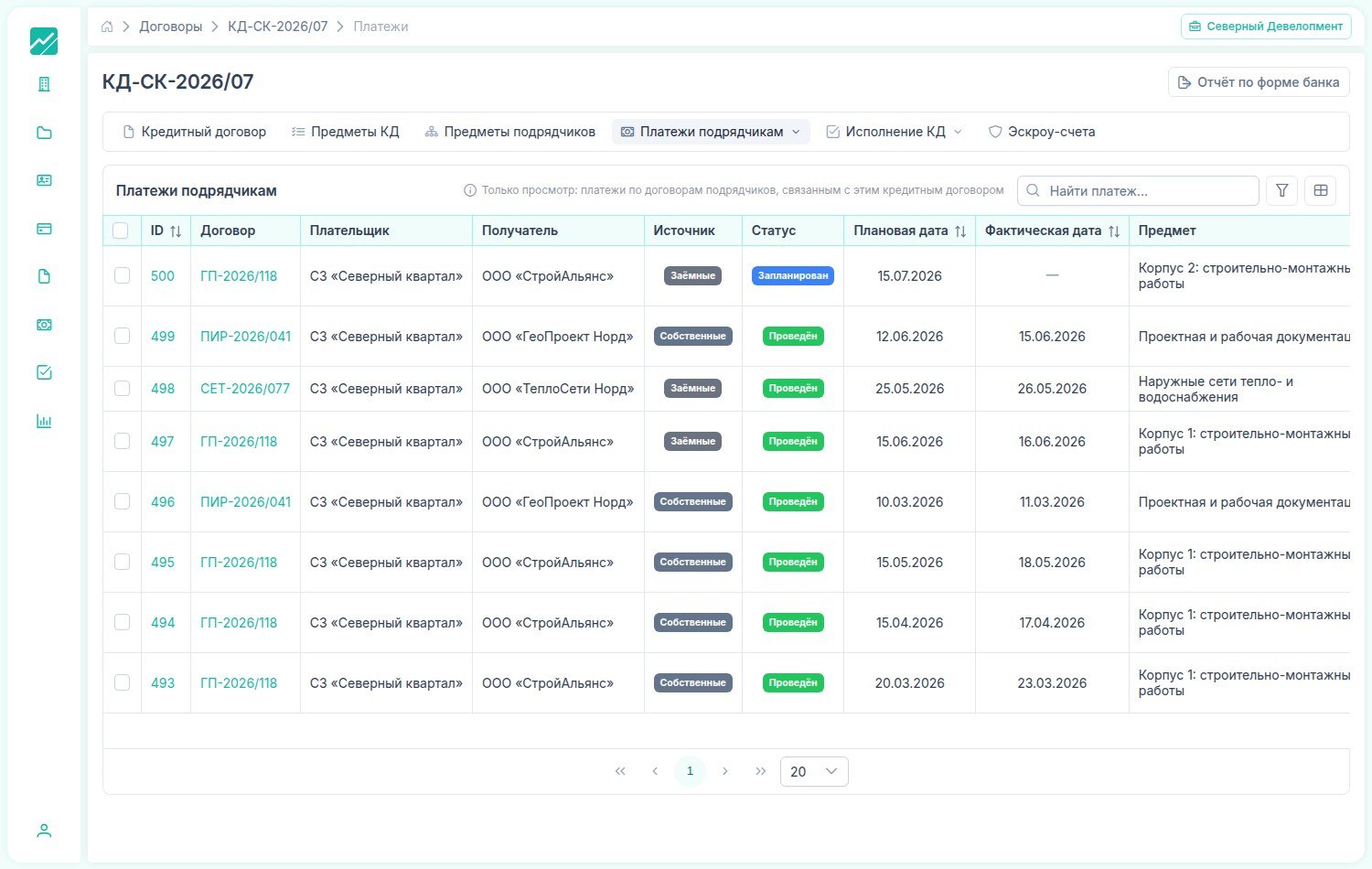
All of them are computed, not typed in by hand. Payments to contractors are gathered into a register, the register becomes the grounds for drawing down the credit line, a drawdown reduces the remaining limit and increases the debt. Repayment works the other way round.
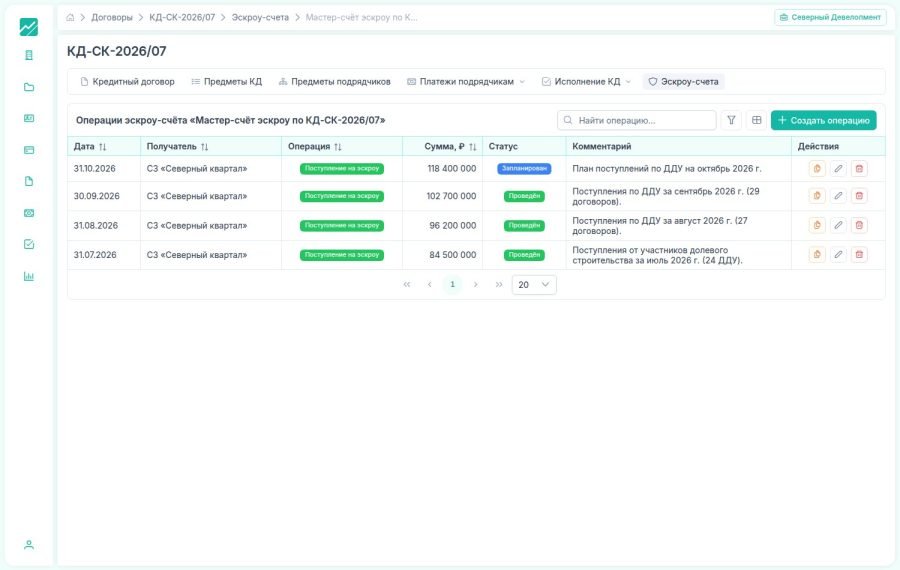
On the other side of the loop is escrow. Receipts under shared-construction agreements land on the master account as operations with a date, amount and status: posted or planned. The property developer can see how much buyers’ money has already accumulated — the very money with which they will close the loan after the building is handed over.
In the end, one screen shows what usually has to be reconciled from three sources: how much the bank gave, how much we drew down, how much we paid the contractors and how much is sitting in escrow.
Result:
The budget, the credit agreement, the contractors and escrow stop being four separate spreadsheets. An expense enters the system once — at the moment the contract is signed and the certificate is paid — and ends up both in the budget as actual against plan, and under the bank-form cost item as a drawn-down limit. The question “how much is left on this item” stops being a day’s work.
The system serves several companies and several projects at once, with roles and rights inside each space. The interface is translated into three languages, including Arabic with a full right-to-left rework of the layout, and works in light and dark theme.
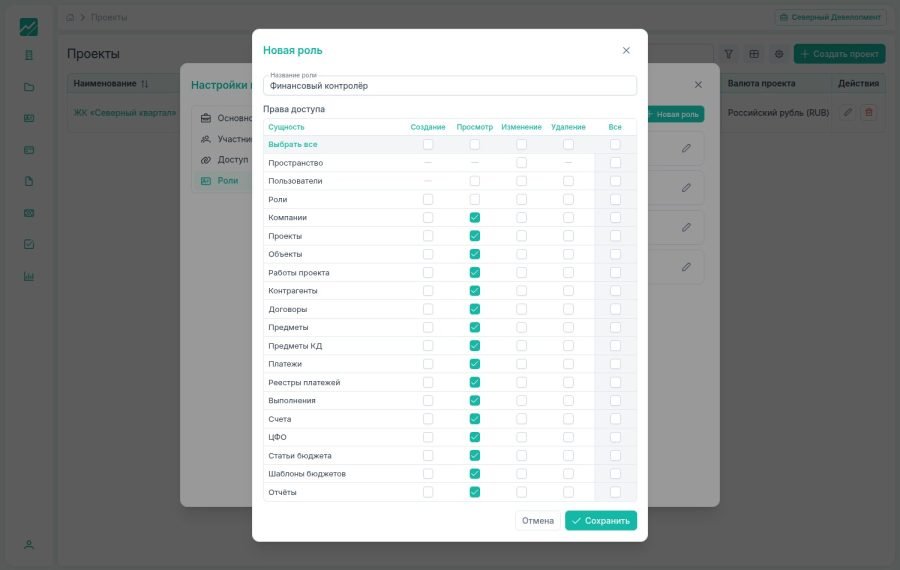
Rights in the system are configured not with an “admin or not” toggle, but per entity and per action: create, view, edit, delete. From this matrix a role is assembled for a specific function — for example, a financial controller who sees all the project’s money but cannot dispose of it.
The product is made as a workstation, not as an app in your pocket: dense tables on a large screen, at which a finance officer spends the working day. We deliberately do not pass off the mobile version as something it is not.