About the project:
MACROSALES is a CRM for property developers and real estate agencies. It runs the sale of a unit from lead to handover of keys. Built entirely by our team.
At the centre of the system is the building with its units, not the deal pipeline. The environment is multi-tenant: several companies work in it, each with its own buildings, staff, reference data and rules.
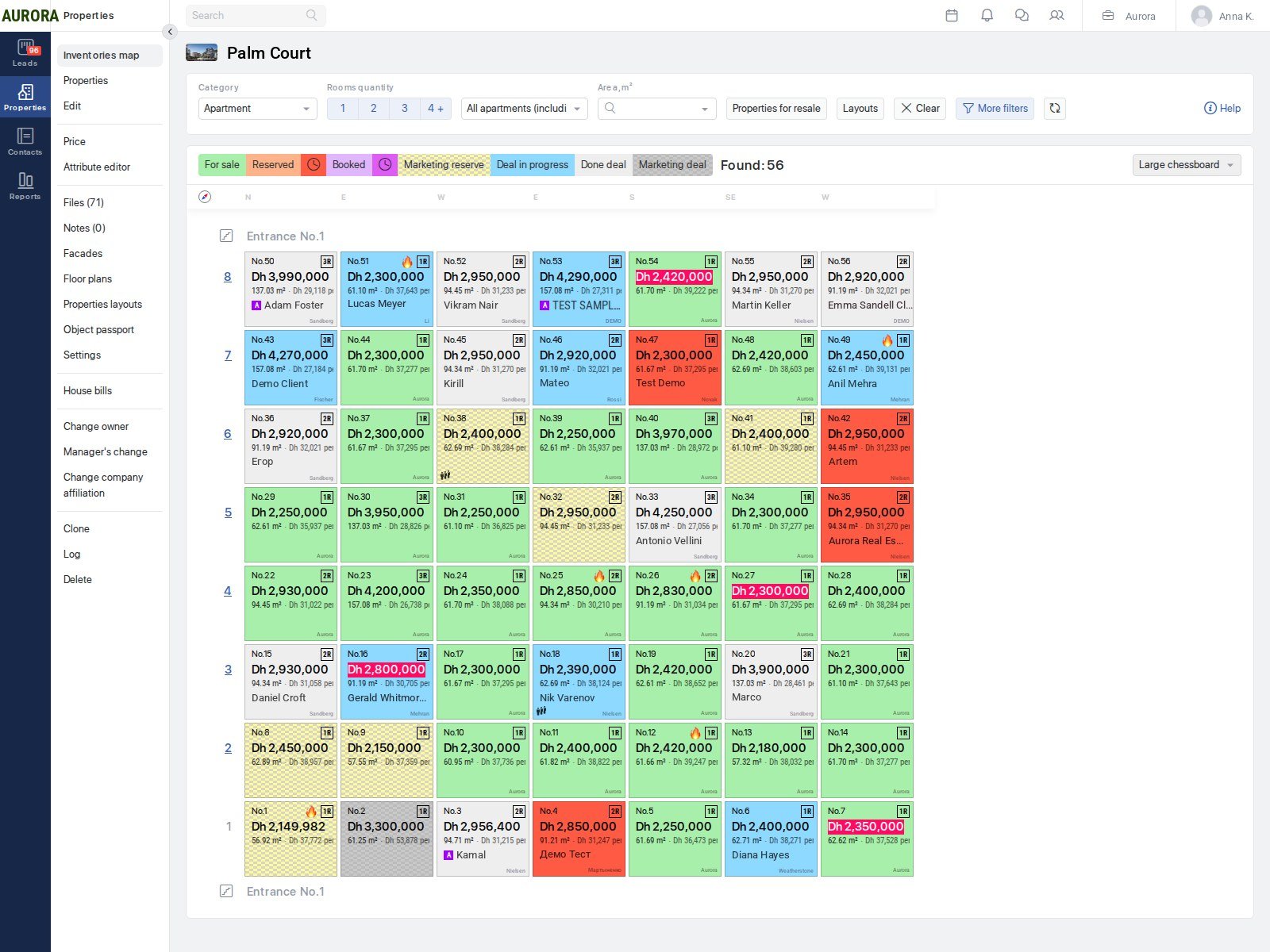
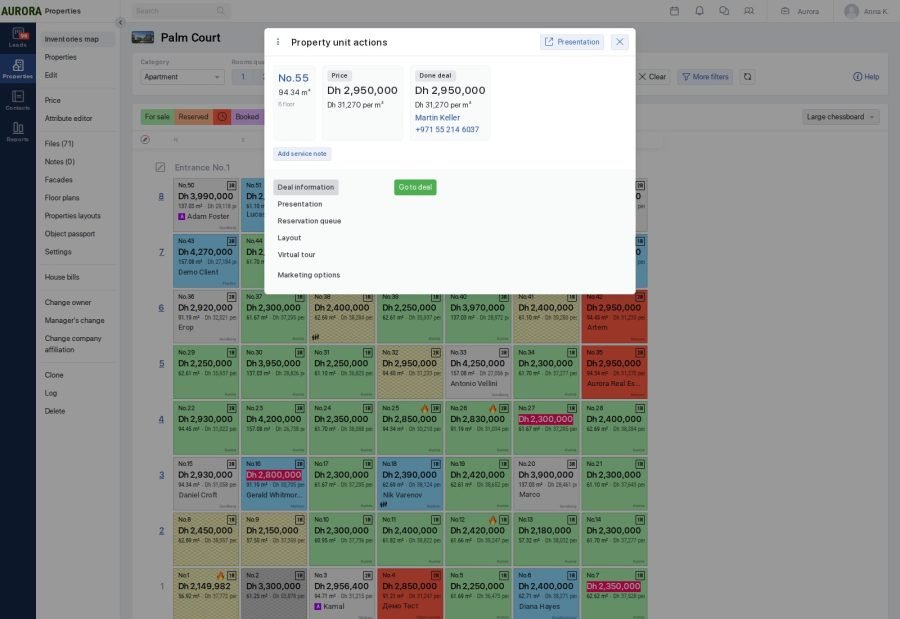
Unit grid:
The main sales screen: all the building’s units in a grid, by entrance and floor.
- Cell colour is the status: available, reserved, deal in progress, sold.
- In the cell: number, number of rooms, area, price and price per metre.
- Apartments, storage rooms, parking spaces and commercial units — in one grid.
- Filters by number of rooms and area, tile and list modes, floor plans and unit floor plans in the unit card.
- A buyer queue for a unit: if a reservation is cancelled, the next candidate is kept.
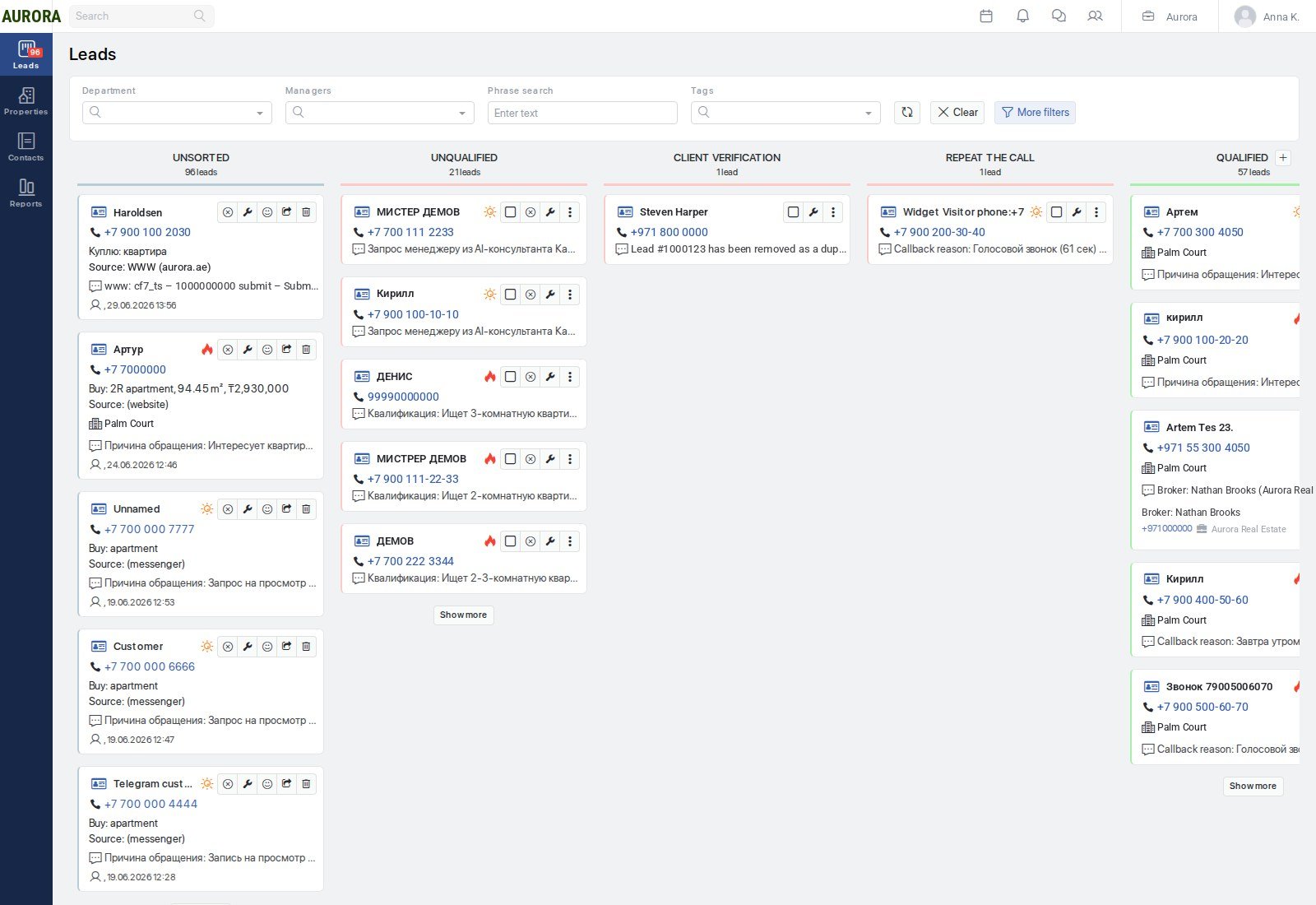
Leads:
Leads arrive with no manual entry: from the company’s sites, from messengers, from ads, from chatbots. The source and ad campaign are saved in the card.
- A stage board: unsorted, qualification, confirmed interest, reservation, deal. The company configures the set of columns to fit its own process.
- In the card: the client’s request — number of rooms, budget, building of interest, specific unit.
- Preliminary qualification by a bot: a “hot” or “cold” tag and the attached conversation history.
- Finding and merging duplicates across enquiries from different channels.
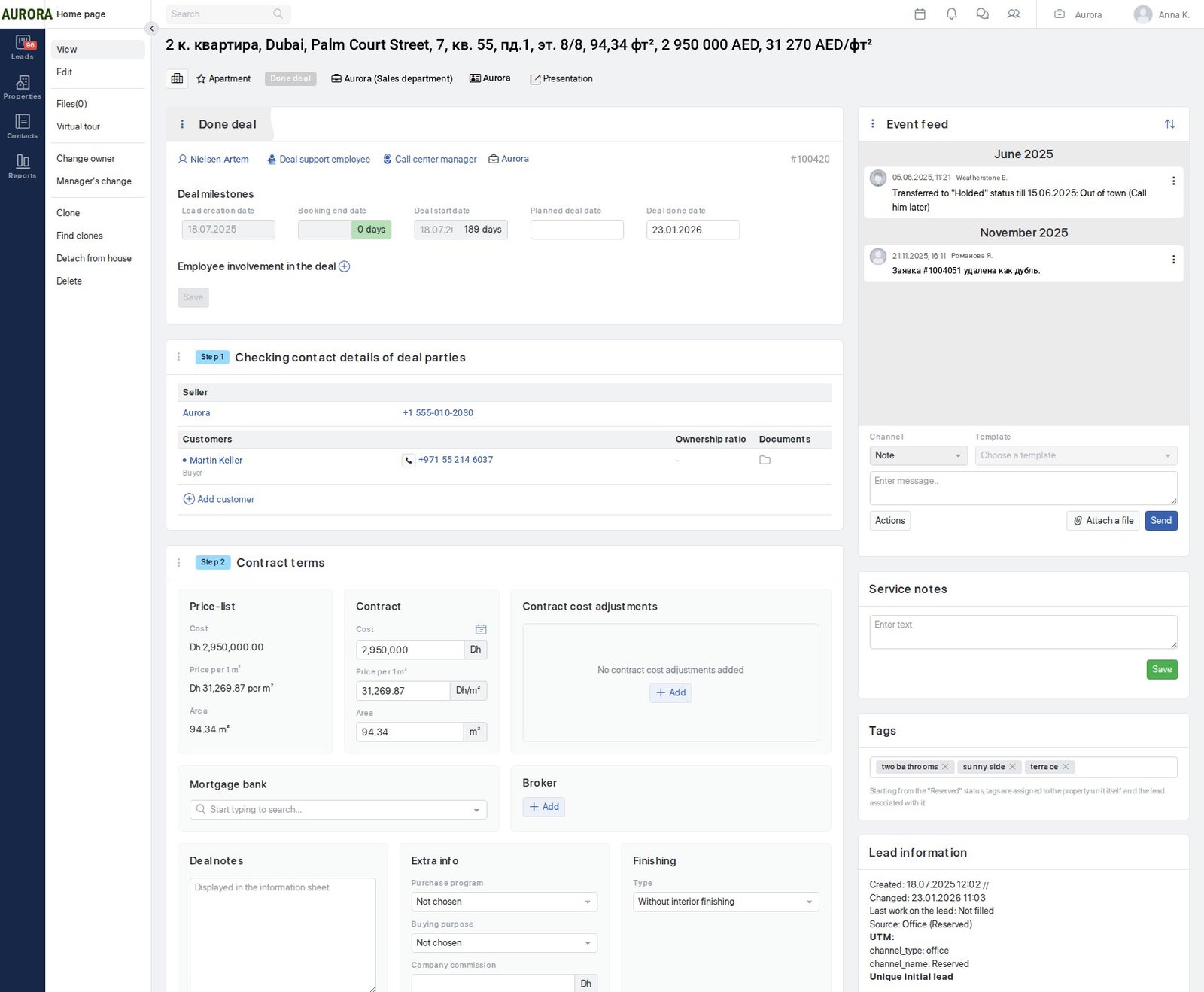
Deals:
A deal is run step by step — from reservation to handover of keys.
- The parties to the deal and ownership shares.
- List price and contract price with discounts.
- Purchase programme: mortgage, instalments or full payment, and a payment schedule.
- Approval of terms against the company’s limits: minimum down payment, maximum term, maximum discount. A deal within the limits is approved automatically, one that exceeds them — by a manager.
- Contract and supplementary agreements from a template: the template is chosen by building, unit type, purchase programme and number of buyers, and filled in with the card’s data.
- Registration and handover of keys — steps on the same route.
Automations:
Rules are assembled in the interface, without programmers involved: an event in the system triggers the next action.
- An unanswered lead — a task for the manager and a notification.
- A status change — a message to the client.
- A change of assignee — a notification to all participants.
- Bulk operations: recalculating prices across a building, merging duplicates, sending clients birthday greetings.
Reports:
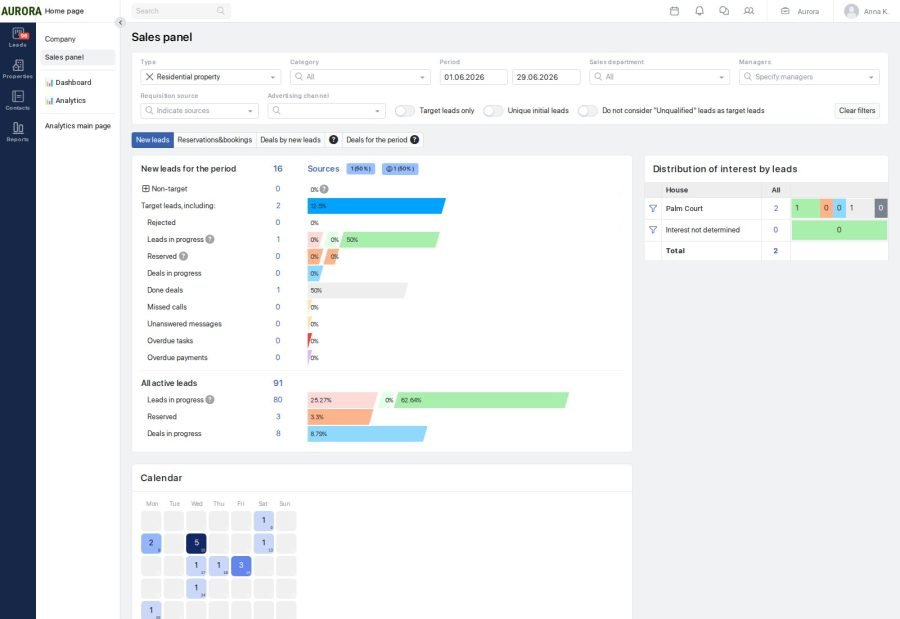
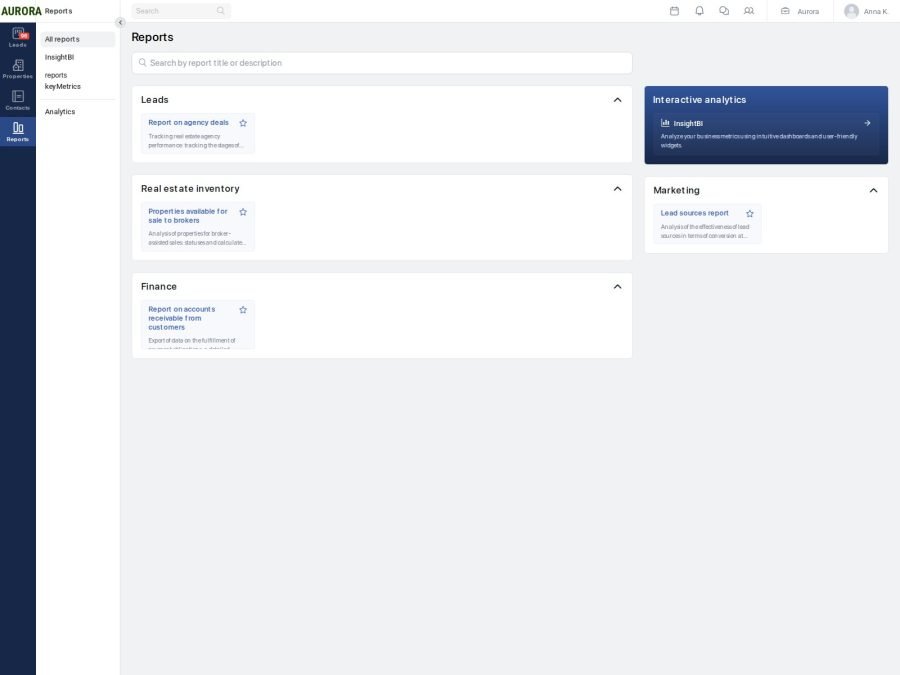
Reporting on sales, money and work through agencies.
- A sales panel for a period: leads, reservations and deals, transitions between stages and a breakdown by source.
- Accounts receivable line by line: debtor, unit, amount, payment date and number of days overdue.
- Agency sales: units opened to brokers, deals they brought in and the size of the commission.
Company settings:
The environment’s parameters are set on the company’s side, without any follow-up work.
- Several currencies at once, one of them the primary one.
- Area units: square metres or square feet.
- Cities and countries of operation.
- The set of enabled sections: sales, finance, telephony.
- A start page per role: sales agent, finance officer, project manager.
- Reference data: lead sources, rejection reasons, discount types, purchase programmes, finish options, call topics.